Logo

Construz - Construction Flask Template

Created: 15/05/2026

Thank you for purchasing my template. If you have any questions that are beyond the scope of this help file, please feel free to open a new ticket at our support forum

24/7 Support: Send Us a message from Our Profile

Template Installation

1.Download and Extract the Zip File:

Download the zip file containing all files integrated with Flask. Extract the contents of the zip file to your desired location.

2.Install Python and Flask:

Make sure Python (We recommend version 3.12.3) and Flask (We recommend version 3.0) are installed on your machine. If not already installed, you can download and install Python from the official website. To install Flask, you can use pip:

npm install

3.Running the Flask Application:

Make sure Python (We recommend version 3.12.3) and Flask (We recommend version 3.0) are installed on your machine. If not already installed, you can download and install Python from the official website. To install Flask, you can use pip:

python app.py

4.Editing Construz Template

Before all that you have to edit your template and place your own contents by replacing old demo contents, in this case, you will need a code editor such as – VScode, Sublime Text etc.

Pages

Total 18 Pages

Fonts

Google free fonts:

Open /static/css/style.css file to find the fonts name from typography area. That's it...

Source File (CSS)

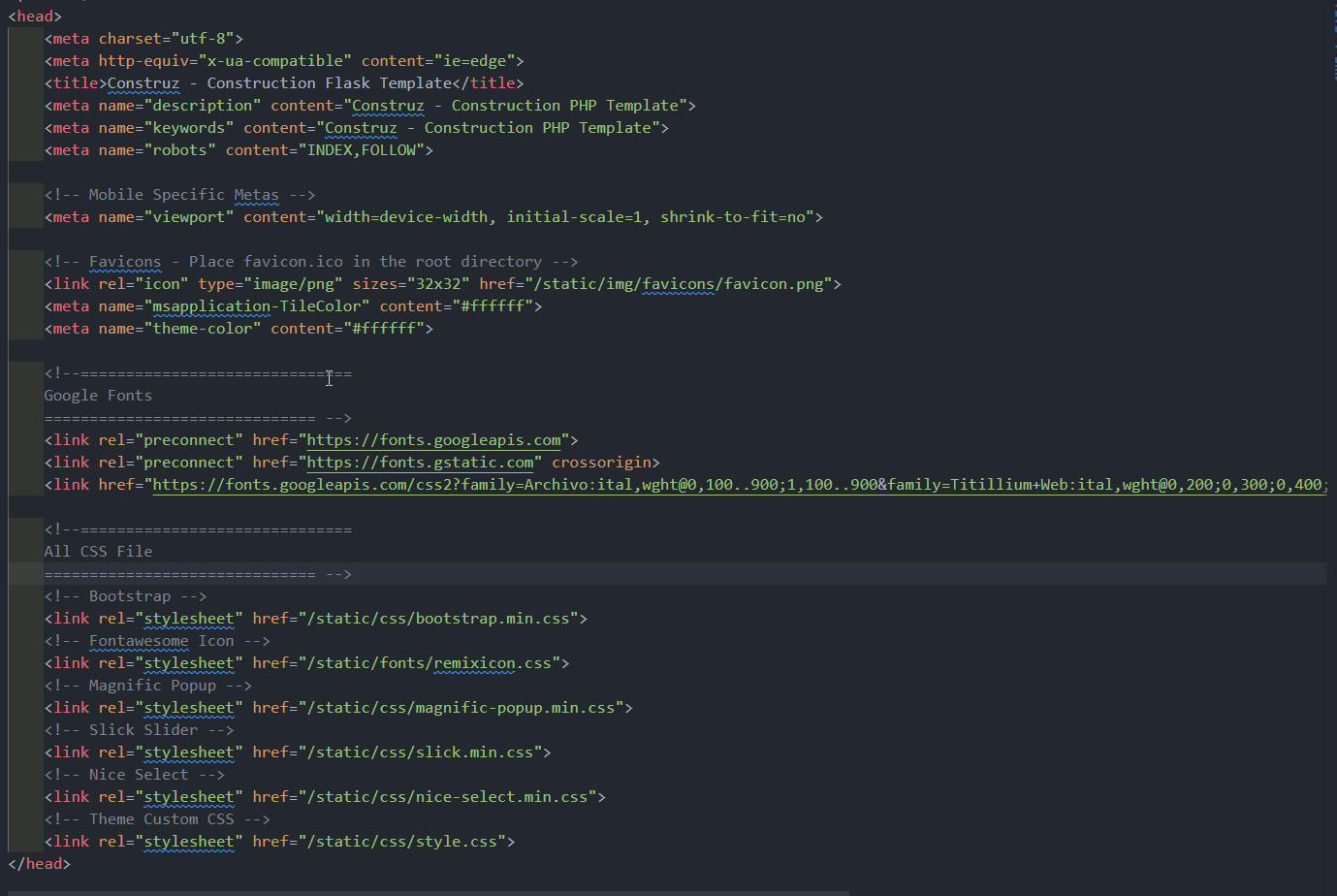
<!--==============================
    All CSS File
============================== -->
<!-- Bootstrap -->
<link rel="stylesheet" href="/static/css/bootstrap.min.css">
<!-- Fontawesome Icon -->
<link rel="stylesheet" href="/static/css/fontawesome.min.css">
<!-- Magnific Popup -->
<link rel="stylesheet" href="/static/css/magnific-popup.min.css">
<!-- Slick Slider -->
<link rel="stylesheet" href="/static/css/slick.min.css">
<!-- Theme Custom CSS -->
<link rel="stylesheet" href="/static/css/style.css">
CSS Source

Source File (Js)

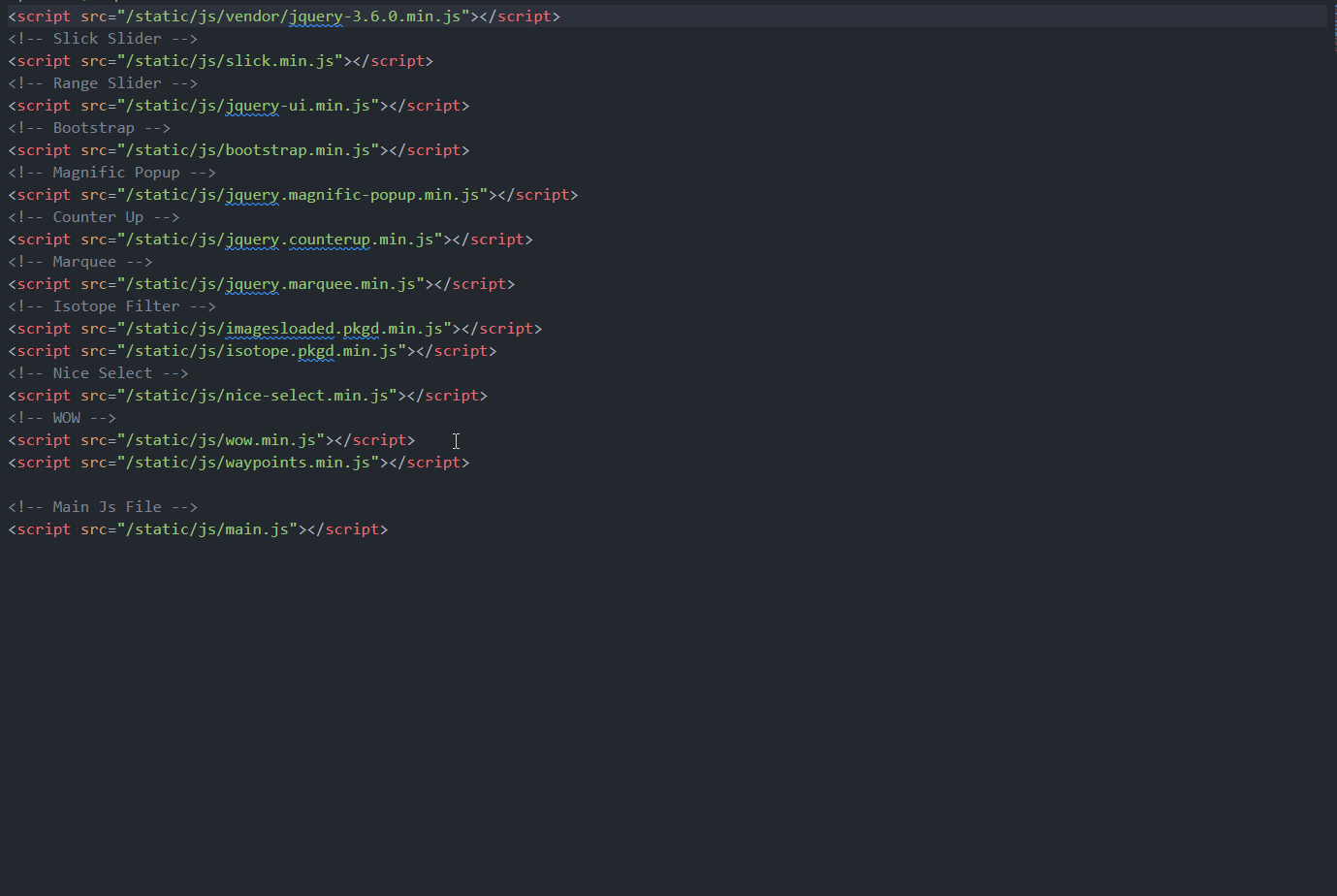
<!--==============================
All Js File
============================== -->
<!-- Jquery -->
<script src="/static/js/vendor/jquery-3.6.0.min.js"></script>
<!-- Slick Slider -->
<script src="/static/js/slick.min.js"></script>
<!-- Bootstrap -->
<script src="/static/js/bootstrap.min.js"></script>
<!-- Magnific Popup -->
<script src="/static/js/jquery.magnific-popup.min.js"></script>
<!-- Nice Select -->
<script src="/static/js/nice-select.min.js"></script>
<!-- Nice Select -->
<script src="/static/js/tilt.jquery.min.js"></script>
<!-- Isotope Filter -->
<script src="/static/js/imagesloaded.pkgd.min.js"></script>
<script src="/static/js/isotope.pkgd.min.js"></script>
<!-- Main Js File -->
<script src="/static/js/main.js"></script>

JS Source

Customization

How to Change Logo

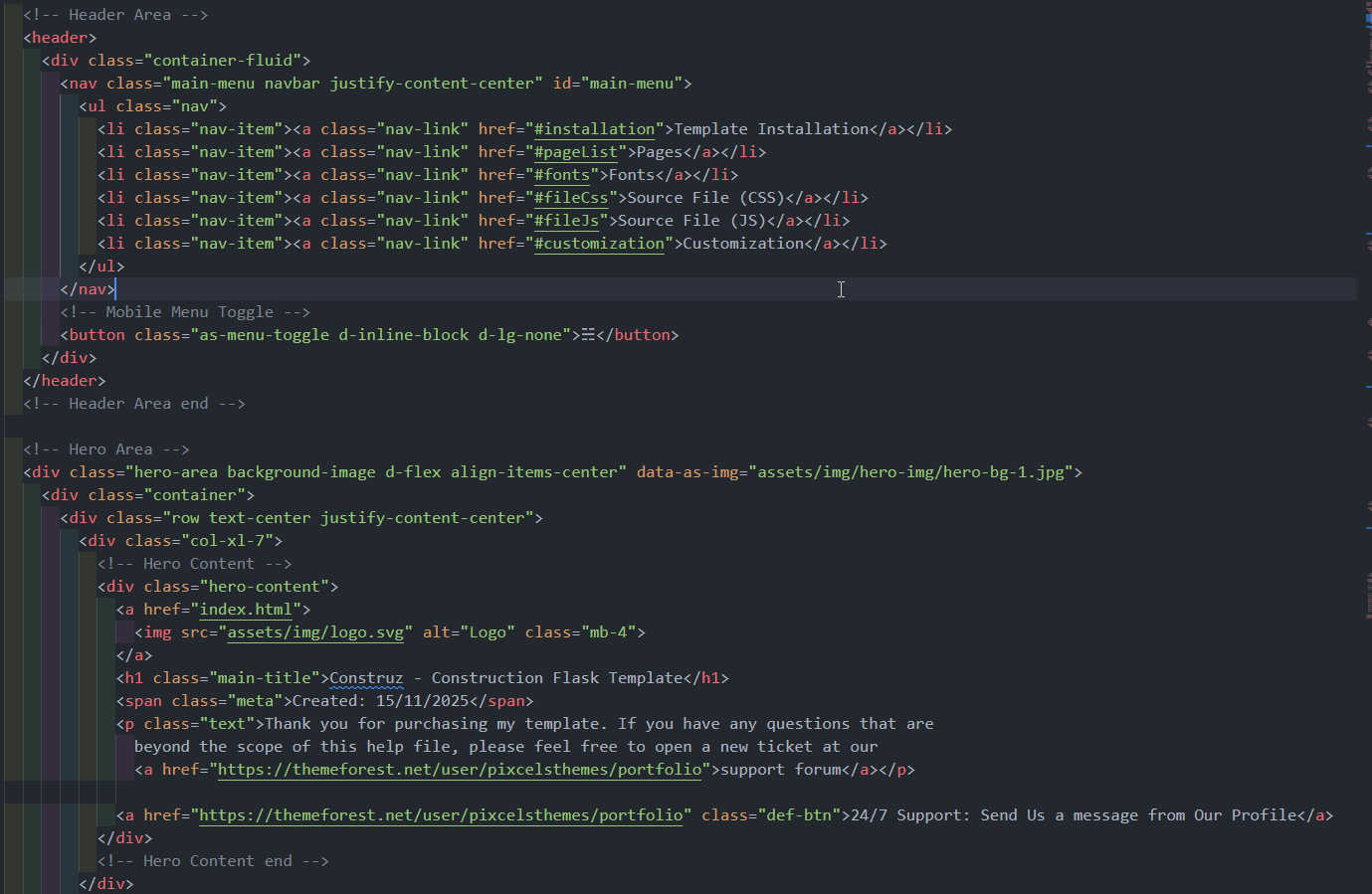
Open assets\img folder and paste your logo. Then go to the header section of Flask and replace the directory link.

Demo of How To Change Logo

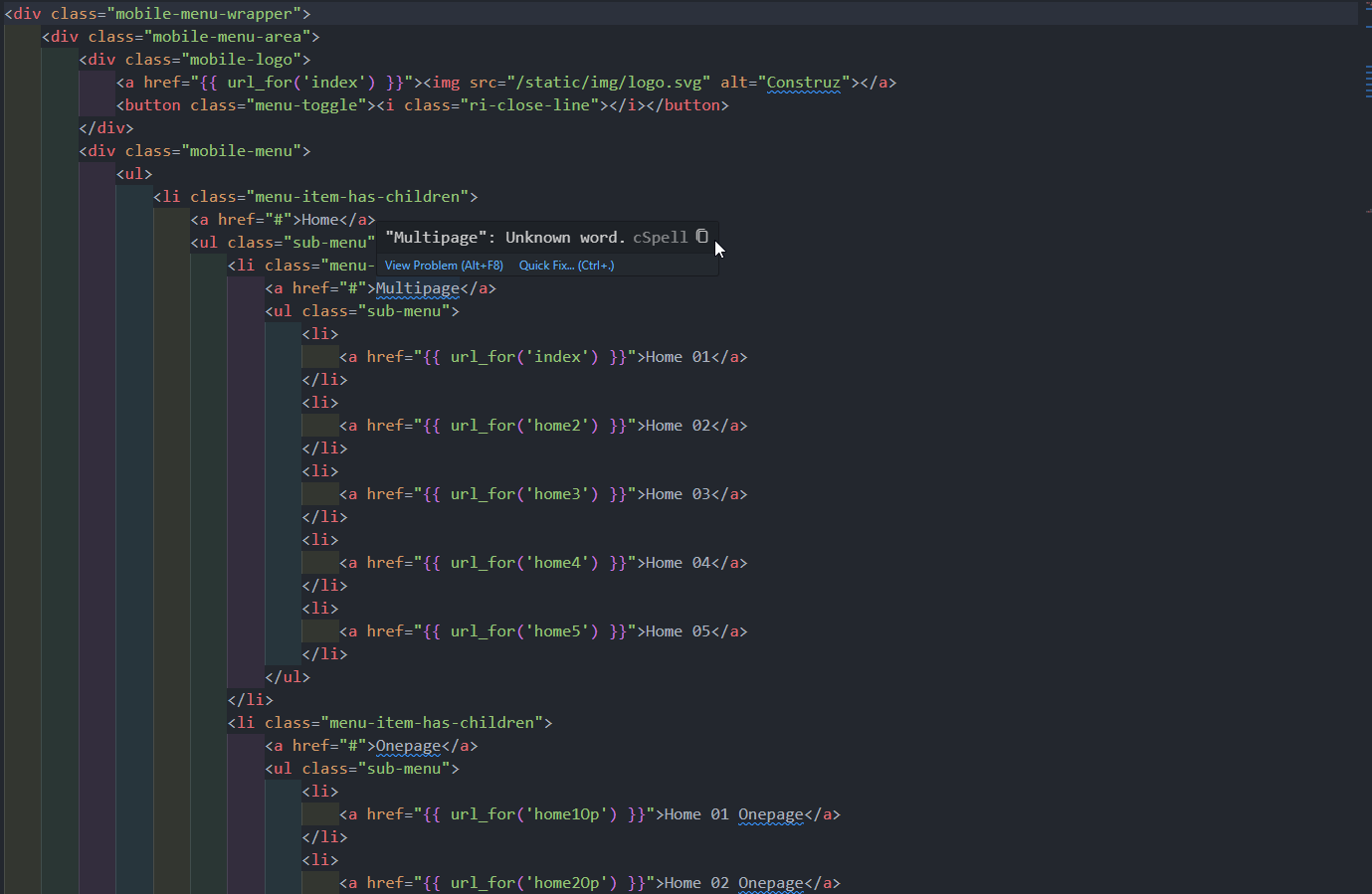
How to Change Menu Links

Demo of How To Change Menu Links

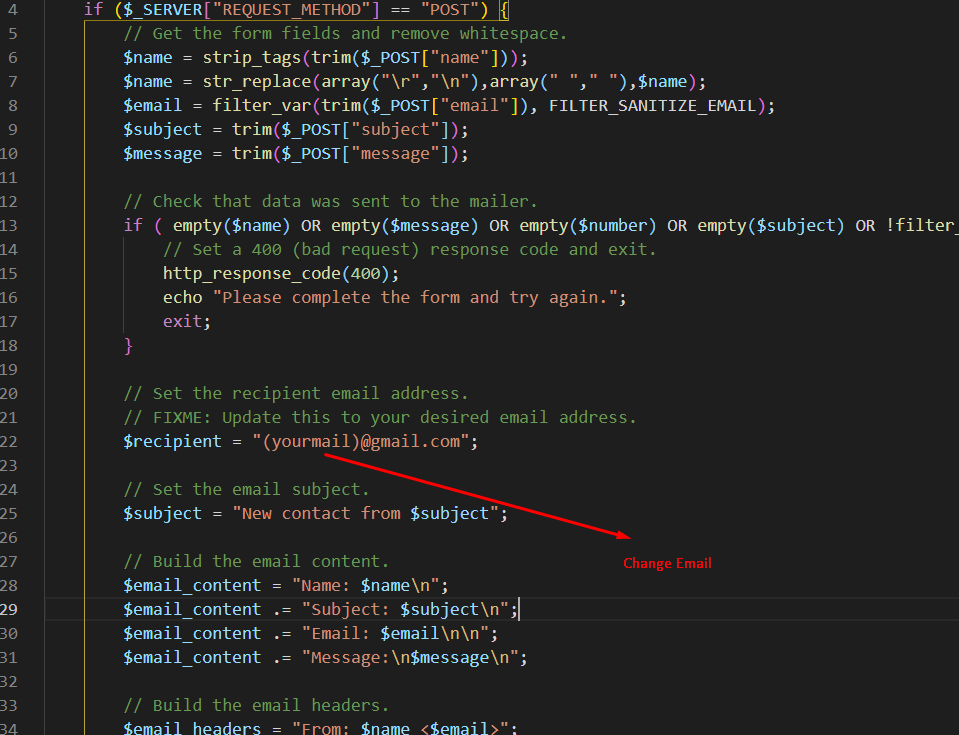
How to Change Email Address

Demo of How To Change Menu Links